
Email Follow-Up After a Website Enquiry: A Simple System

Email follow-up is where many website enquiries are won or lost. A potential customer in Islamabad fills in your contact form, waits, hears nothing for two days and then signs with someone who replied first. The enquiry was not bad; the follow-up was missing. This guide explains how to set up simple, honest email follow-up after a website enquiry, from the first reply to the polite last check-in, without sounding like a robot or spamming anyone.
Why the first reply matters most
People who fill in a form are usually comparing several businesses at once. The first business to reply with a clear, helpful answer has a real advantage, because it sets the tone of the conversation. Many owners assume that a phone call is always better than email, but customers who chose a form often did so because they could not talk at that moment. A quick email gives them something useful to read when they are free.
A good first reply does three things:
- Confirms the enquiry was received, so the customer is not left wondering.
- Answers or acknowledges the specific question they asked.
- Gives one clear next step, such as booking a call, sharing a document or replying with details.
Step 1: Make sure enquiries reach a real inbox
Before writing any templates, check the basics. Many websites in Pakistan send form submissions to an old developer’s email, a staging address or a mailbox nobody checks. Send a test enquiry from your own site and confirm:
- It arrives at a business email that more than one person can see.
- It does not land in spam.
- It includes all the fields the customer filled in, plus the page they came from.
- The customer sees a clear thank-you message on screen.
If submissions often go to spam, ask your developer to send form emails through a proper SMTP service and set up SPF, DKIM and DMARC records for your domain. Our web development team can check this as part of a form review.
Step 2: Send an instant confirmation email
An automatic confirmation email reassures the customer straight away. Keep it short and human:
Subject: We’ve received your enquiry – [Business Name]
Hi [Name],
Thank you for contacting [Business Name]. We’ve received your message about [service] and a member of our team will reply within [one working day / a few hours].
If it’s urgent, you can also reach us on WhatsApp at [number].
Regards,
[Business Name], Islamabad
Only promise a response time you can actually keep. If your office is closed on Sundays, say so.
Step 3: Write a personal first reply
The automatic email buys you time, but a real person still needs to reply. Aim to send a personal response within the same working day. Write it for that specific enquiry rather than pasting a generic brochure. A useful structure:
- Thank them and repeat their need in one line, so they know you read the message.
- Answer what you can now, such as availability, rough process or what you need from them.
- Ask one or two focused questions to move things forward.
- Offer a clear next step, like a 15-minute call at a specific time.
Avoid attaching large PDFs or long price lists unless the customer asked for them. A short, clear email is easier to read on a phone.
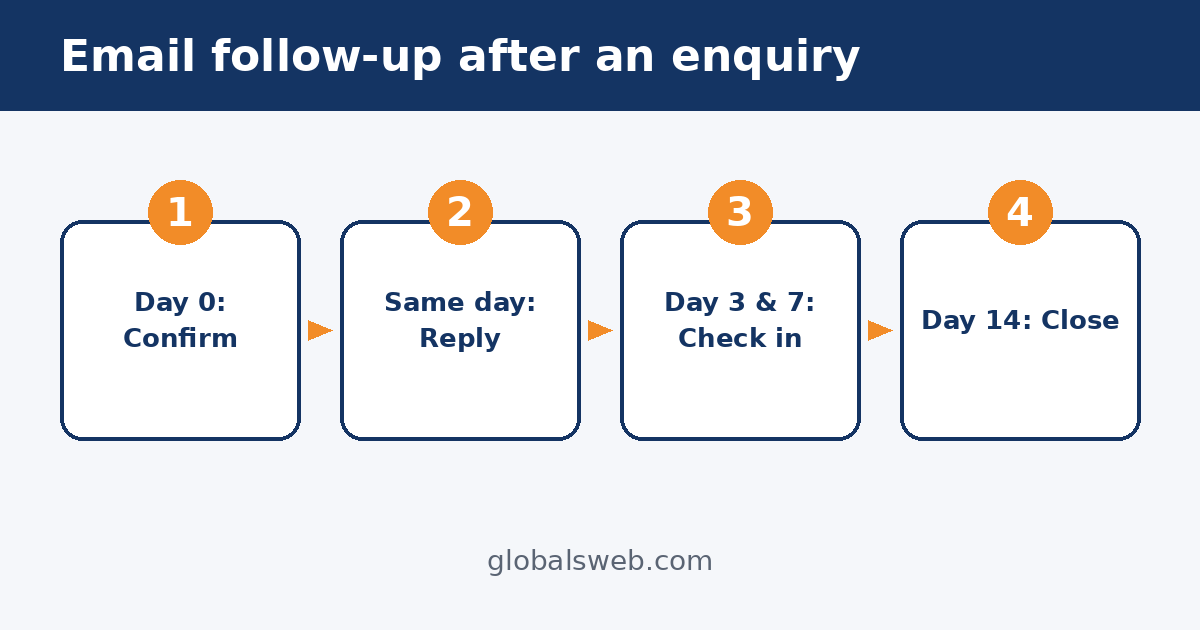
Step 4: Plan a short follow-up sequence
Many customers do not reply to the first email, not because they are uninterested but because they are busy. A short, polite sequence helps:
- Day 2 or 3: A brief check-in. “Just checking whether you had a chance to look at my last message. Happy to answer any questions.”
- Day 6 or 7: Add something useful, such as an answer to a common question, an example of the process or a link to a relevant guide on your website.
- Day 14: A polite final message. “I’ll close this enquiry for now so I don’t keep filling your inbox. If you’d like to continue later, just reply to this email.”
Three or four messages is usually enough. Stop as soon as the customer replies, books a call or says no. Do not add people to newsletters or promotional lists unless they agreed to it.
Step 5: Combine email with WhatsApp and calls
In Pakistan, many customers prefer WhatsApp to email. Email still works well for written quotes, documents and a record of what was agreed, but it is fine to use more than one channel. If the customer left a phone number and you have permission to contact them, a short WhatsApp message after your first email can help: “Hi, this is Sara from [Business]. I’ve emailed you about your enquiry. Happy to chat here if that’s easier.”
Keep a note of which channel each customer prefers and use that one going forward.
Step 6: Track every enquiry
Follow-up only works if someone is responsible for it. Even a simple shared sheet helps: date received, name, service, source page, owner, first reply time, follow-up dates and outcome. Over time this shows you which services and pages bring the best enquiries and how quickly your team really responds.
If your volume is growing, a CRM or an automated follow-up flow can send reminders, log replies and alert staff when an enquiry is waiting. Our AI automation services help Islamabad businesses set up these flows so nothing is forgotten, while keeping the actual replies personal.
Common email follow-up mistakes
- Replying from a personal Gmail account instead of the business domain.
- Sending the same long template to every enquiry.
- Waiting until the next week to reply.
- Following up daily until the customer blocks you.
- Never asking why lost enquiries chose someone else.
- No one owning the inbox when a staff member is on leave.
How follow-up connects to lead generation
Better follow-up is often the cheapest way to get more customers from the traffic you already have. Before spending more on ads or SEO, check how many enquiries you are already receiving and how many get a timely reply. A strong lead generation system is not just about getting more forms filled; it is about turning those forms into conversations and conversations into work.
Need help with your enquiry follow-up?
If enquiries are slipping through the cracks, contact GlobalsWeb. We can test your forms, fix email delivery, write follow-up templates that fit your business and set up simple tracking so every website enquiry gets an answer.